Keeping track of what your connections are doing professionally is one of the most important things we offer to our members at LinkedIn. We’re excited to announce LinkedIn for iPhone 3.2, because we’ve made it easier than ever to stay up-to-date and find the most important changes happening in your professional network.
Download: LinkedIn for iPhone v3.2
It’s All About the Profile
We’ve made a number of changes to how we show profile updates from your connections to make it easier to quickly find the most important changes. From either All Updates or Profiles, you can now see more information about what was changed and make a better decision on how important it is to you professionally or personally.
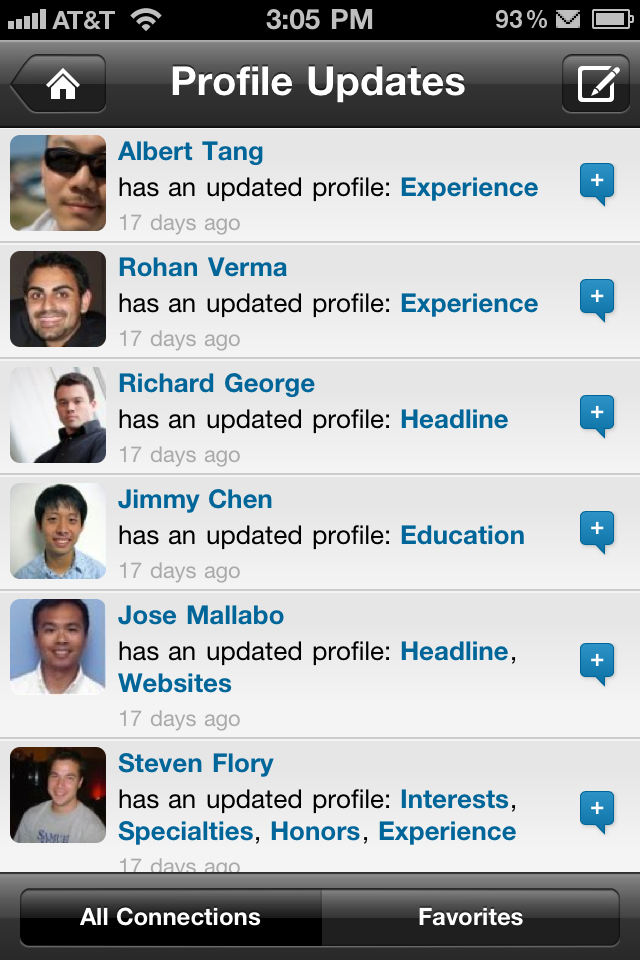
From a profile update, you can tap on your connection’s name to go to the top of their profile, or tap on any section to jump right to that section. We’ve also made it easier to find the changes by highlighting them in our new profile design.
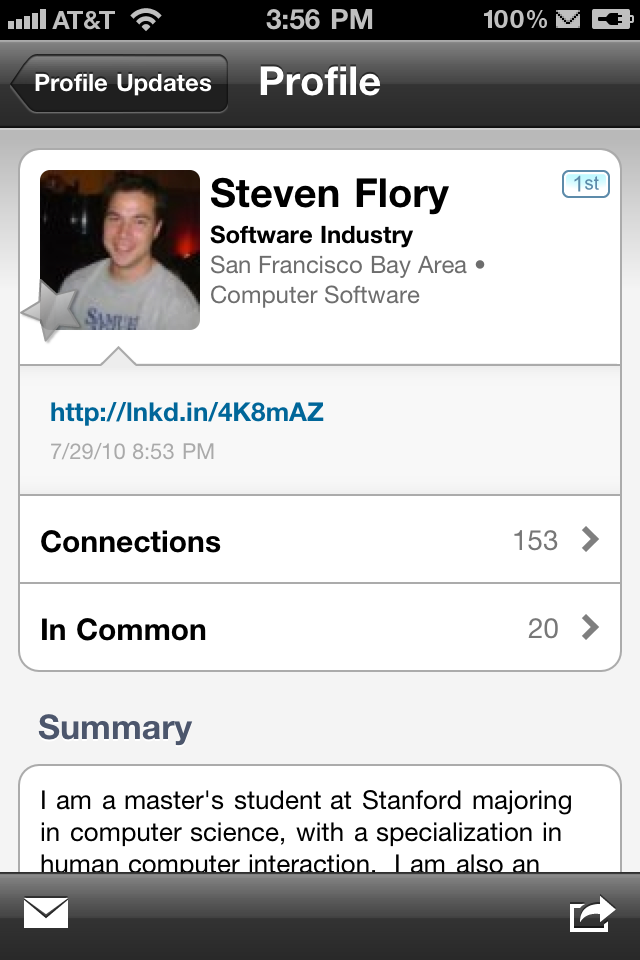
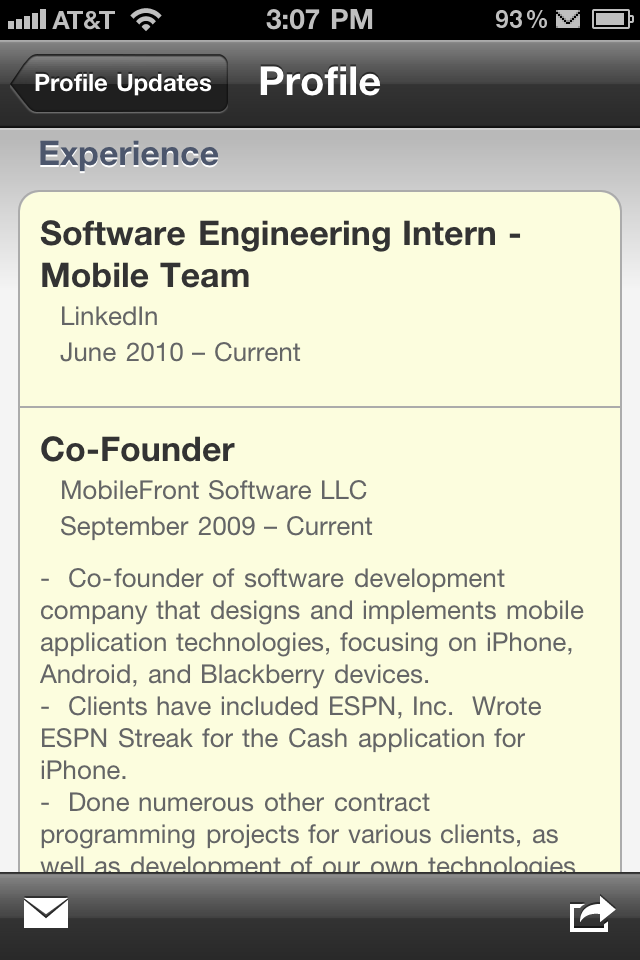
In addition to letting you see what sections have changed when a connection updates their profile, we’ll also let you know when they add a Twitter account, change their address or phone number, or add their birthday.
Who Do You Know?
One of the most commonly used features in our current iPhone app is viewing who you have in common with another LinkedIn member. It’s a great way to build out your own network, and it’s also useful when you’re meeting someone new and need to know more about them to help start the conversation.
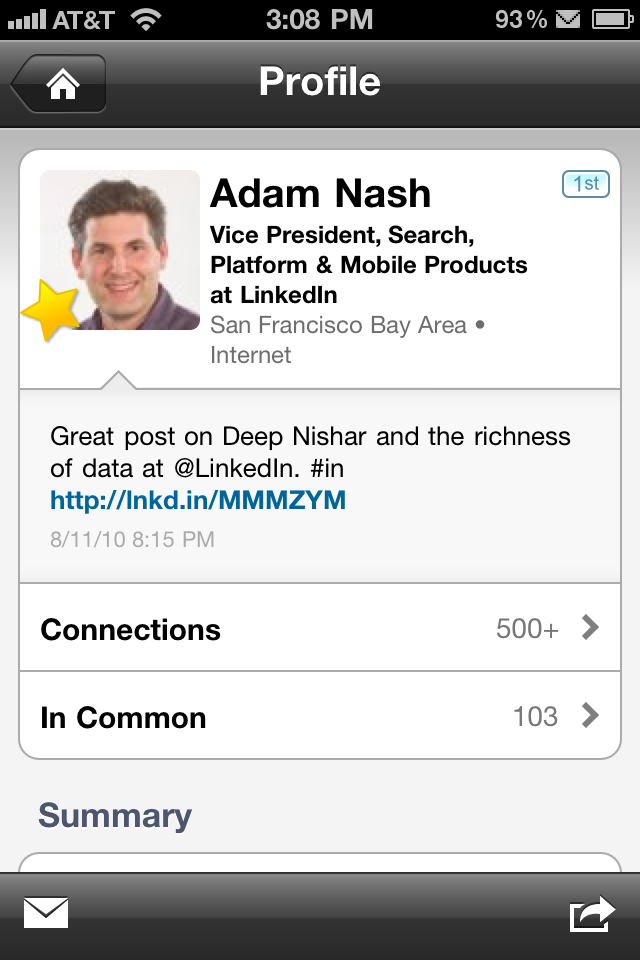
You can now see how many people you have in common right from the main profile screen. We’ve also created a single view that lets you quickly switch between viewing who you have in common and viewing their full connections list.

Optimized for Retina Display
The new version of LinkedIn for iPhone is sporting all new icons and images, taking advantage of the amazing new Retina display on the iPhone 4.
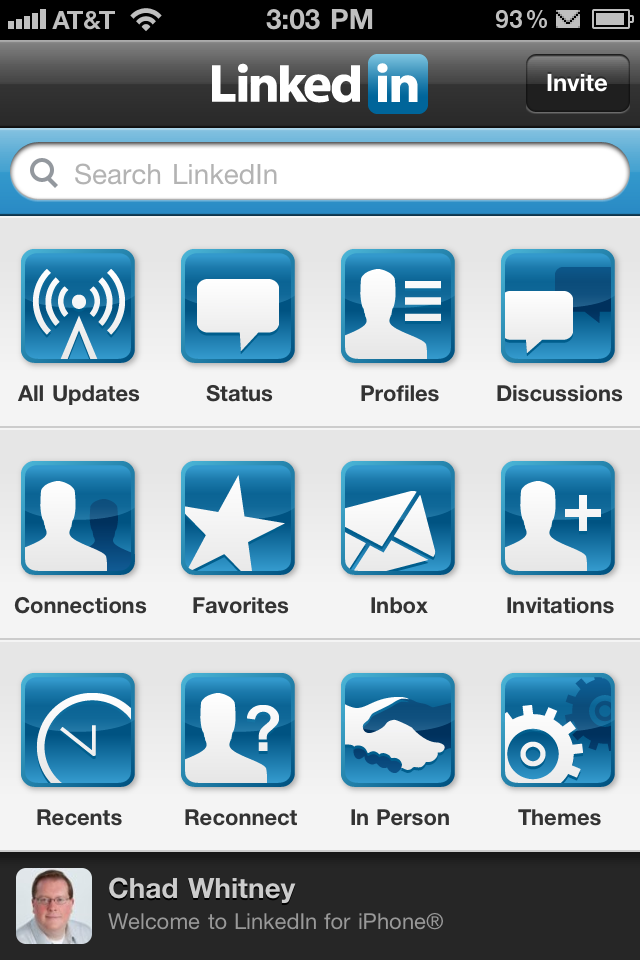
What’s Next
The iPhone team here at LinkedIn is growing, and we have 2 amazing interns this summer (see if you can find them in the screenshots above). We have a lot of great new things on the horizon for October and November, and are very excited about the new experiences we’ll be bringing you this year.
If you want to keep up with what we’re doing, and have a place to give us feedback and talk about your ideas for LinkedIn on the iPhone, please join our LinkedIn for iPhone group.
- Topics:
- iPhone,
- LinkedIn Mobile


Comments
Any news on updating the webOS version for the Palm Pre? Thanks.
Great news on the update. I just downloaded it. Can’t wait to check it out!
Any chance of adding Groups?
Also, updating contacts in the address book rather than just adding new (or linking an LI contact to a current address book contact)?
Mike Lazarus
http://blog.glcomputing.com.au/
Aside from some performance issues with the new update. I would love to see “all” updates shown under “All Updates”. It should match what I see on my home page. It would also be great to post to Groups.
Here’s hoping the Android community gets well-deserved love.
Are there plans to update the Linkedin Palm webOS app?
It would b great if one could get into groups and read discussions especially on the ipad
Apart from the website, are there any plans for an Official Linkedin Android App ?
Anything available for the Motorola Droid?
@Duane – what updates are you missing from the All Updates that you’d like to see? If you’re missing the “Chad Whitney is now connected to Bob Smith” type of updates, you can turn those on by going to the Settings application on your iPhone, then going to LinkedIn at the bottom of the page. We’ve turned them off by default because the number of them that flow through the system for someone with > 50 connections is high enough to become very noisy in the list.
@Mike – Groups is something we do want to add, but in the short-term are focused on a few new experiences that we’re really excited about. When we have a firm date for Groups, I’ll update our LinkedIn for iPhone group with the details.
Chad,
Regarding the increased/ improved updates on the main page and the “Manage Updates by type” page in account settings, I suggest adding another button to the manage by type to allow us to turn off the “I Like It” updates.
While these types of updates may be useful to some of us, I find it just adds to the clutter on the main page, especially as most of them are just about an action another of my contacts has done, so I already see it.
Thanks,
Steve
What’s the roadmap for Android ? Would be happy to have Linkedin’s position on this topic. Please.
All fun and games for the Iphone, but what about an ANDROID app?
Is there a way to ‘un-download’ my connections to my iphone?
I did not realize it would populate my existing contacts. I guess a feature would be to have it populate a LinkedIn folder. This way, my several hundred biz contacts are not amongst the numbers I’m searching for on a daily basis.
Linkedin on Iphone is very handy, apt way to check out. Thanks. Wanted to post this a while back. Glad I am doing now.
Ditto to that. Any updates on an official Android version of LinkedIn? Getting tired of looking at it in browser mode.
I want linkedin group and linkedin answers on iphone. Are you developing it?
Chad– These are great improvements. Regarding the “Chad Whitney is now connected to Bob Smith” type of updates, I would like to see more thought put into how these are managed on the iPhone. Personally, this is the single most important type of update I look for, along with changes of title/current job. Some suggestions:
1. Don’t hide the on/off configuration option where no one can find it in iPhone Settings.
2. Provide the ability to set a time threshold so no updates older than that threshold are displayed. Hours or days at the user’s option.
3. Provide the ability for the user to hide individual updates already viewed, by touching some control.
4. Both (2.) and (3.) should apply to all types of updates not just connection updates.
Thanks for continuing to improve this app!
I also would like to ask about an ANDROID LinkedIn app. If you miss Android – you miss half the future handsets.
You could improve by making an Android version. Android is te fastest growing OS for smartphones at the moment and linkedin doesn’t have an application :S
Everybody is asking for an Android App for months now.
Another request for LinkedIn for Android – can’t believe there isn’t one yet…
There are other mobile platforms besides Apples bloated coffers – come on developers – Android and symbian friendly please.
Another vote for Android.
@Manish and others with Android comments- We definitely plan on coming out with an Android app and definitely love the Android platform. As a policy, we don’t pre-announce products so we don’t have a time frame to share as of yet, but we can assure you that it is being addressed. Thanks everyone for being patient.
Derek Homann
LinkedIn Product Specialist
Just downloaded , will let you know.
What about being able to see pages such as who’s viewed your profile..would like to see that as well on my mobile.
@Derek
Thanks for your reply. Just wanted to reiterate that there are millions of android users who are eagerly waiting for the linkedin apps. I have used it on iPhone and it was very easy staying connected. Missing it on my Samsung GalaxyS.
@Amit- We hear you loud an clear. I also have an Android phone so I know where you are coming from. The most important thing for us is to make sure we put out a quality product and I think you will be pleasantly surprised when we do get it released.
Is there any reason why I don’t see my own status updates under All Updates? On the Website, I do see my own status updates.
I would vote to merge the All Updates, Status, Profile and Discussions screen into one scrollable screen, similar to the News Feed on Facebook for iPhone, with ability to filter by the various types of updates and/or contact groupings.
@Derek,
Hope the release is coming soon…It would be a huge benefit for me.
@Derek
Thanks Derek, just as a thought. It would be nice to have it integrating into contacts application on android (just like facebook, twitter). This would really help keep Professional contacts in one place. Not sure if that’s planned but thought it would be a great value add.
Do you intend to do mobile check-ins of any kind?
Just downloaded
The new release should be great for everyone.
Agree completely with the comments and suggestions of chenalfredc. The iPhone Linked In user interface has been made needlessly complicated to cover the lack of substance: there’s much less here than meets the eye.
Although I’m an iPhone user, I support completely all the Android users asking for a mobile Linked In version for their platform. I think we will all benefit immensely from greater competition in this space.
Hi,
My suggestion is that you add the recommendation section to the iPhone application so
I just downloaded it.
I love the LI iphone app, thank you. I would like to be able to see my connections email address & contact information when I bring up their Profile so that I can quickly connect. Thank you. Anne Pryor, Meaningful Connector
Very nice app but i don’t find who see my profile in this app, is a important topic for people to check who is interested in my work.
Just made a move from the IPone to HTC Desire (Android), please help me, where can I find the LinkedIN App for Android
Thanks
Greetings
Willem Tolman
The Netherlands
First, very nice job with the app for Iphone, the interface works very smoothly. However, including groups, and thus discussions, is for me essential when I have to interact with users who are posting discussions, and especially asking questions that requires a quick response time. Not being on my laptop all the time makes me rely on communicating through my iPhone. Adding groups as a feature would be a significant benefit concerning work-flow.
Any idea on when/if this update will come?
Thanks
@Bernie and other folks who mentioned Android
We’ve just launched a beta version of our Android app.
http://blog.linkedin.com/2010/12/16/linkedin-android-beta/
We’re glad we could get this out to you before the holidays. Look forward to your feedback.
Good blog! I’m gonna bookmark this site now.
Spot on with this write-up, I really suppose this web site needs way more consideration. I’ll in all probability be again to read way more, thanks for that info.
I have been absent for some time, but now I remember why I used to love this website. Thank you, I will try and check back more frequently. How frequently you update your web site?